


Hướng dẫn cấu hình bot IM NiuClaw (từng bước, mỗi bước một hình cho người mới)
Mục tiêu: kết nối WeChat / DingTalk / Feishu và các nền tảng khác với NiuClaw.
Đường dẫn:Cài đặt → Bot IM(không phải «Email»).
Chú thích hình ảnh: Sử dụng ảnh chụp toàn bộ cài đặt thực tế; hãy quét mã QR WeChat bằng ứng dụng khách của chính bạn, tài liệu không đăng mã thật.
Bước 1: Mở «Bot IM»
- Góc dưới bên trái Cài đặt hoặc Ctrl+,
- Nhấp vào bên trái Bot IM
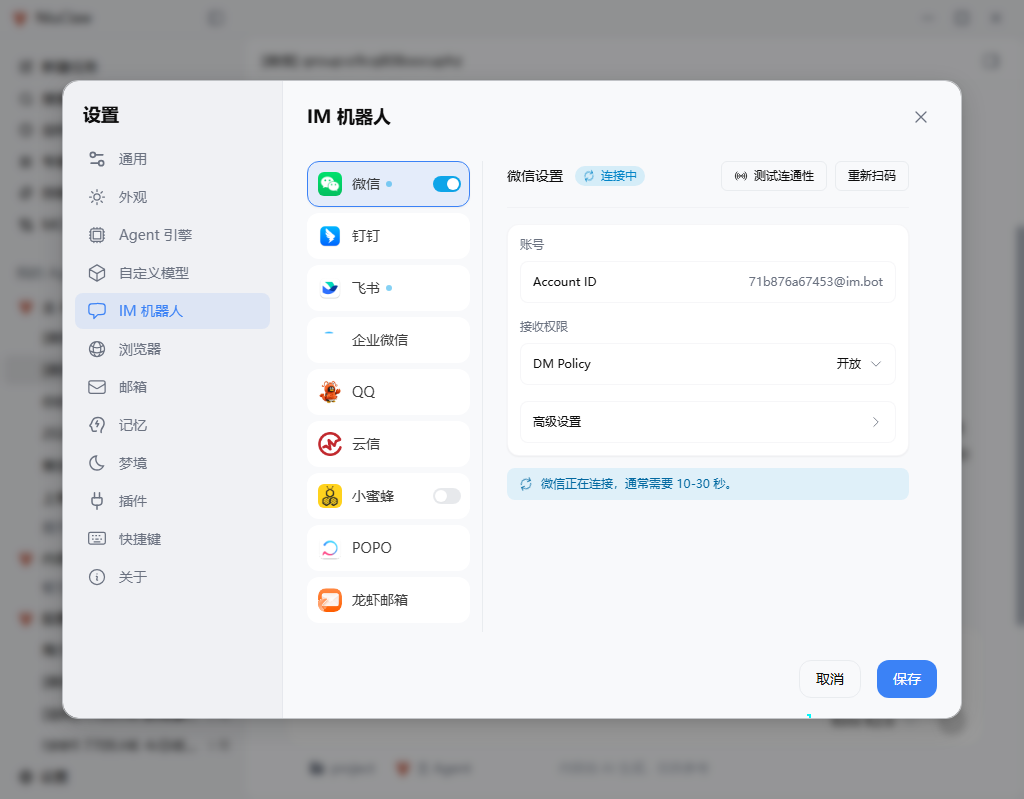
Bước 2: Chọn nền tảng và bật công tắc
Nhấp vào cột giữa WeChat(hoặc DingTalk, Feishu, v.v.), bật công tắc màu xanh.
Chi tiết của nền tảng đó sẽ xuất hiện ở bên phải.
Bước 3: Kết nối
WeChat: Tap Scan / Scan again → Scan the QR code with WeChat on your phone to confirm → Wait for “Connecting” to finish (about 10–30 seconds) → You can tap Kiểm tra kết nối。
DingTalk: Enter Client ID and Client Secret (refer to the DingTalk Open Platform) → Test → Save.
Lark: Enter App ID and App Secret → Publish the app and enable bot permissions → Test → Save.
Bước 4: Lưu
Tap the bottom-right corner Lưu。
Step 5: Bind to an Agent
- Left side of the main interface My Agent → Edit the target Agent
- Open IM Channels, and select the connected platforms
- After saving, send a message in WeChat/DingTalk
The sidebar will show conversations with [微信] markers. Conversations created through IM may have a read-only desktop input box; continue chatting on the original platform.
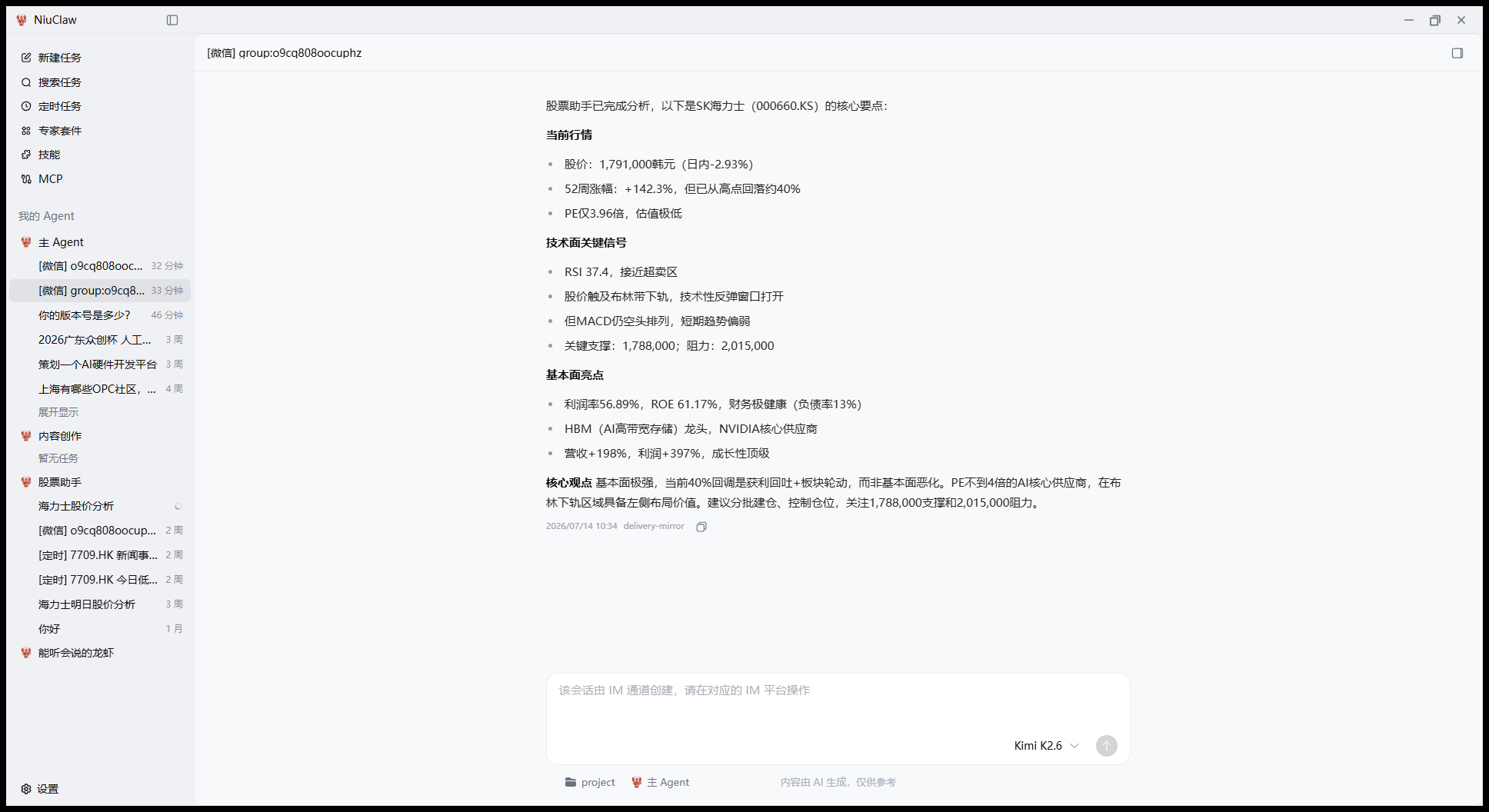
For more detailed multi-Agent instructions, see:Multi-Agent User Guide。
Lưu ý
- Keep NiuClaw running locally
- For scheduled pushes, use Scheduled Tasks, instead of looking for the old “Group Webhook” category on the IM page
Liên hệ và phản hồi
- Email:NiuClaw@binxinai.cn
- Cộng đồng:https://www.bixinai.cn/NiuClaw/user_community/NiuClaw_user_community.html
- Sổ tay:https://www.bixinai.cn/NiuClaw/user_guide/NiuClaw_user_manual.html