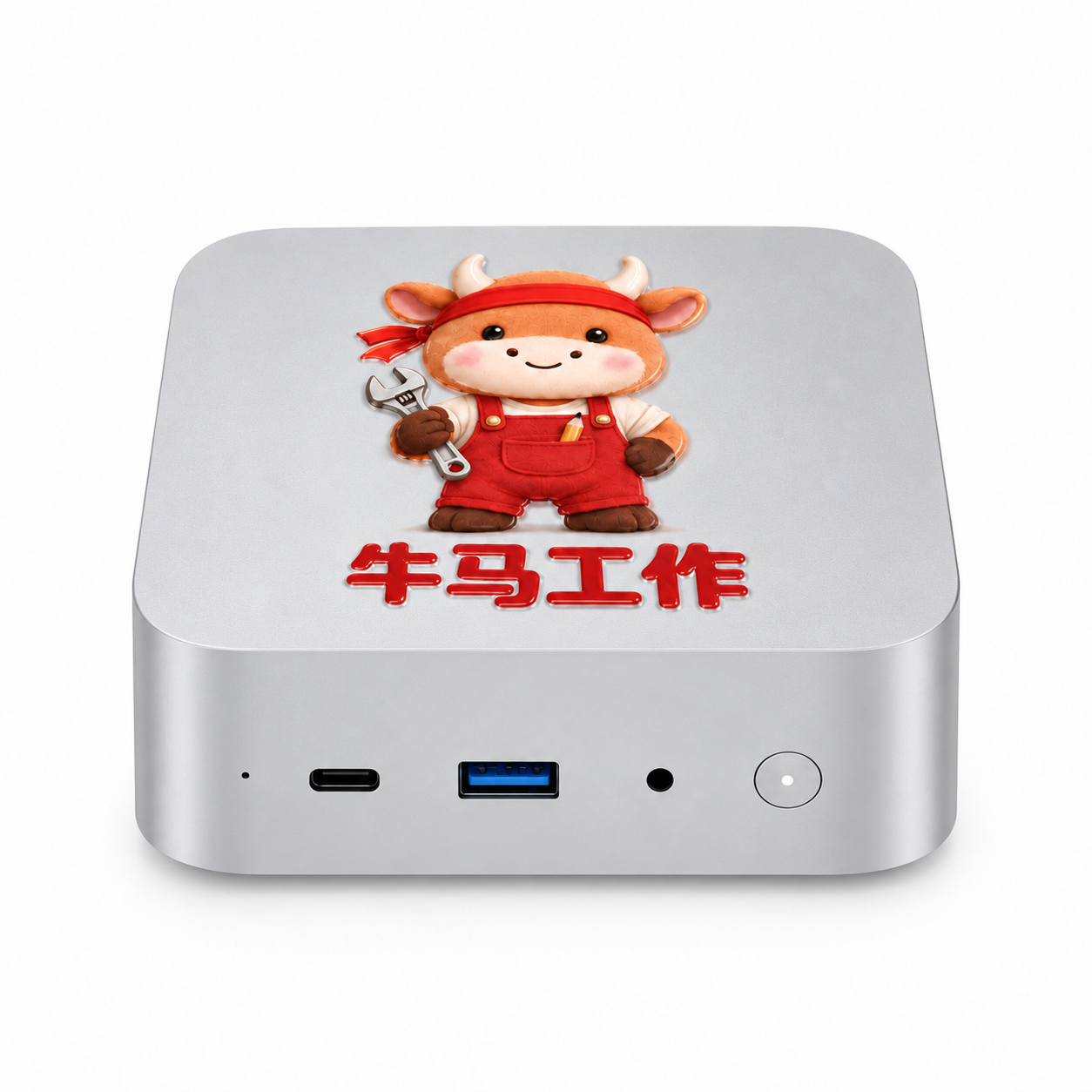
A dedicated computer for running agents, paired with agent selection advice and getting-started Q&A.
Starting from your actual tasks, we help you clarify the selection and applicable scenarios of agents such as WorkBuddy, Codex, Qwen Office, and Doubao Work; with basic usage Q&A, we make hardware and software truly serve daily work.
Product renderings · Actual delivery is subject to the confirmed order
WORK & FAMILY / Use cases
Less repetition at work, More creativity in life.
From organizing documents in the office to parent-child AI programming at home. Choose the right agent for a specific task, so this dedicated computer for running agents has a clear use.
01 / Administration & Office
Turn scattered information into the next step.
Organize meeting notes, summarize to-dos, draft notices, and archive daily materials by project.
Example: Summarize today's meeting notes and list the owner, deadline, and items to be confirmed.
02 / Finance & Reimbursement Organization
Make the organizing work before verification more worry-free.
Categorize authorized receipts and reimbursement materials, assist in summarizing tables, flag missing items, and prepare for manual verification.
Example: Check against the reimbursement list to list missing documents; amounts and reports are reviewed by finance staff.
03 / Sales & Customer Follow-up
Before meeting a client, prepare thoroughly.
Organize client communication notes, sort out requirements, and assist in drafting follow-up plans and proposal materials.
Example: Organize this week's client notes into requirements, to-dos, and key points for the next follow-up; confirm manually before sending.
04 / E-commerce & Content Operations
From product materials to a usable first draft of content.
Organize product information, draft introductory copy, summarize user feedback, and assist with repetitive web operations according to workflows.
Example: Generate three versions of introductory copy from existing product materials, and mark the parameters that need verification.
05 / Developers & Small Teams
Give coding tasks a dedicated work computer.
Work with development agents such as Codex to write small tools, modify code, run tests, and organize errors and results.
Example: Create a file-organizing tool, first run it in a test folder, then check the results.
06 / Family Education & Parent-Child Programming
Together with your child, turn ideas into small projects.
Parents accompany children as they learn to ask questions, break down tasks, read and modify code, and practice AI programming starting with small games and interactive stories.
Example: Make a mental-math mini-game together, discuss the rules, modify the interface, and then test whether the answers are correct.
7 × 24 h
A dedicated device that can stay powered on and keep working.
Leave configured scheduled organization, document summarization, or development tasks on N1 mini; after the daily office computer is closed, independently running tasks can continue.
Suitable for staying powered on as needed; continuous operation requires stable power, good cooling, disabling auto-sleep, and keeping relevant software and tasks running. Networked tasks also require network, valid accounts, and service permissions; updates, failures, and third-party restrictions may interrupt tasks, and this does not mean all tasks can be unattended or guaranteed to run continuously.
The images are AI-generated scene illustrations; examples require selecting software and configuring workflows. Important financial data, outbound sending, and code execution require manual review; children should use it with parental accompaniment and comply with the age and account requirements of the selected software.
THREE WAYS TO USE / Three ways to operate
At the desk, or from afar, you can use your workstation.
Choose the most convenient entry point. For first-time use, complete system, network, and remote access configuration first; when needed, connect a monitor for setup.
01 / Operation method
Operate by connecting directly to a monitor
Just like using an ordinary computer.
Connect a monitor, mouse, and keyboard, and use agent software directly on the N1 mini. You can reuse an existing monitor or buy an affordable second-hand monitor.
Prepare: monitor, compatible video cable, mouse, keyboard; peripherals must be provided by you.02 / Operation method
Operate remotely from your own computer
The office computer is also the control entry point.
Keep the N1 mini running continuously in a fixed location; after configuring the remote software, connect with your own laptop or desktop computer to view the desktop, arrange tasks, and check results.
Prepare: network at both ends, compatible remote software, device binding, and access authorization.03 / Operation method
Operate remotely from your own phone
Check progress even when you're out and about.
Use a compatible mobile remote client to connect to the N1 mini wherever there is network access, check task progress, and handle simple operations; complex editing can be done back on a computer.
Prepare: mobile remote client, network, and security authorization; keep the host online and prevent it from sleeping.
Remote control depends on the selected software, network, and authorization; it does not mean offline remote access is available; some remote software or features may charge fees. Please configure access permissions properly; the specific supported scope of the software is subject to its instructions.
HARDWARE + SERVICE / Hardware and service in one
Choose clearly, start using it, and keep learning.
The computer provides an independent work environment, while the service helps you find the right tools and ways to get started. After purchasing the device, you can also join Knowledge Planet at a discount and continue your AI learning.
01 / Choose the right toolsWhat's included in the plan
Agent selection and scenario advice
Based on your tasks, usage habits, and budget, and taking into account the software's capabilities, operation methods, account and model dependencies, data usage practices, and cost structure, we help you decide which tool to start with.
Learn the suitable use cases for tools such as WorkBuddy, Codex, Qwen Office, and Doubao Work.
Map needs such as office collaboration, document organization, and code development to scenarios you can try.
Explain the accounts, permissions, and potential fees required before use.
For example: do you mainly organize documents, or do you often write code? Clarify the task first, then choose the tool.
02 / Get startedWhat's included in the plan
Basic onboarding and usage Q&A
For common questions in basic agent use, we provide operating instructions and troubleshooting directions to help you understand how to get started, how to describe tasks, and how to check results.
Instructions for basic installation, login, and common settings issues.
Q&A for basic questions such as task questions, file usage, and permission prompts.
Help distinguish operational issues, account restrictions, and third-party service issues.
For example: How should I describe a task to the agent? When encountering a permission prompt, which settings should I check first?
03 / Continuous learningPurchase discount · Separate purchase
Users who purchase N1 mini can purchase our Knowledge Planet AI learning community membership at a discount, learning more about AI tools and usage experience through ongoing learning and交流.
For device purchasers who want to keep learning AI.
As a follow-up learning option beyond the basic onboarding service.
Learn about current discounts and how to join through the official consultation entry point.
Community fees are separate; specific discounts, prices, and benefits are subject to those announced at the time of purchase.
Clear service scope makes purchasing more reassuring.
Agent selection advice is provided based on the software versions available at the time of service and actual needs; basic Q&A focuses on software onboarding and common usage issues. It does not include systematic training courses, complex workflow building, business system integration, or custom development; such needs can be discussed separately.
With the specs clearly stated, you can choose with more confidence.
This computer box provides an independent operating environment for agent software. Specific task capabilities depend on the selected software, account permissions, and workflow configuration.
Processor
AMD Ryzen 5 6600H6 cores 12 threads
Integrated graphics
AMD Radeon 660MProcessor integrated graphics
Memory
16GB LPDDR54800 MT/s
Storage
512GB SSDBrand-new SSD
Operating system license
Windows 11The quote includes a Windows software license; the specific version and licensing method are subject to order confirmation.
Agent Software
WorkBuddy, Codex, etc.The hardware and Windows operating system are fully compatible with agent software such as WorkBuddy and Codex, supporting daily office work and automation tasks.
Product quality and defective product handling: one-year warranty on the complete unit
SIZE & PORTS / Dimensions and ports
Compact body, Desktop connections are clear.
113 × 113 × 38.5 mm
Labeled according to the provided product dimensions and port diagram. Before connecting a monitor, keyboard, mouse, and network, you can first check the port locations.
Front
USB-C, USB-A, audio port, and power button
Back
Power connector, Gigabit Ethernet port, dual HDMI 2.1, 4 USB 3.2 ports, and cooling vent
Port specifications are shown as in the original image; specific functions and actual delivery are subject to the confirmed order.
PRICE & DELIVERY / Quote and delivery
¥3,699, hardware and services delivered together.
Quote includes
NiuClaw N1 mini host and the above configuration
Windows software license
Agent software selection and applicable scenario recommendations
Choose your workstation, Complete your order here.
NiuClaw N1 mini · Hardware, agent selection recommendations, and basic Q&A delivered together.
01 Fill in shipping information
02 Scan WeChat QR code to pay
03 Manual confirmation of shipment
Check my order
Check on this page to continue payment or view shipping progress.
Verify the order phone number to retrieve your orderUse saved order lookup credential
YOUR ORDER / Order & Payment
Order created
Only the system's verification of receipt shall prevail; do not pay repeatedly. The inquiry credential contains order access permission; please keep it safe.